
Install guide
Linux
Native builds for 64-bit PCs and ARM computers. The game runs on an X11 or Wayland desktop, or straight from the text console, and finds Steam, Heroic and Lutris installs by itself.
- glibc 2.28 or later
- x86-64, ARM64 and ARMv7
- 15 MB, plus your game
- About 5 minutes
1Choose your package
| Your computer | Package | Needs |
|---|---|---|
| 64-bit PC, the Steam Deck included | …-linux-x86_64.zip | glibc 2.28+: Debian 10, Ubuntu 20.04, Fedora 29, RHEL 8, SteamOS 3 |
| 64-bit ARM, 64-bit Raspberry Pi OS included | …-linux-arm64.zip | glibc 2.28+ |
| 32-bit ARMv7, 32-bit Raspberry Pi OS included | …-linux-armhf.zip | glibc 2.36+: Debian 12, Raspberry Pi OS Bookworm |
Two commands tell you which: uname -m prints x86_64, aarch64 or armv7l, and the first line of ldd --version ends with the glibc version.
$ uname -mx86_64$ ldd --version | head -n1ldd (Ubuntu GLIBC 2.39-0ubuntu8) 2.39
2Download and unzip it
Download your package here, or in a terminal. Unzipping it makes a folder holding the game, open-annihilation; the 64-bit PC package also has a steam-deck folder with Steam Input layouts and library artwork. No unzip? sudo apt install unzip.
Open Annihilation 0.7.2 · Linux2026-10-06
Release notes →64-bit PC Recommended
glibc 2.28 or later: Debian 10, Ubuntu 20.04, Fedora 29, RHEL 8, SteamOS 3 or newer.
open-annihilation-v0.7.2-linux-x86_64.zip
64-bit ARM Recommended
glibc 2.28 or later, including 64-bit Raspberry Pi OS.
open-annihilation-v0.7.2-linux-arm64.zip
32-bit ARMv7 Recommended
glibc 2.36 or later: Debian 12, Raspberry Pi OS Bookworm or newer.
open-annihilation-v0.7.2-linux-armhf.zip
uname -m tells you which package you need.$ curl -LO https://github.com/open-annihilation/open-annihilation/releases/download/v0.7.2/open-annihilation-v0.7.2-linux-x86_64.zip$ unzip open-annihilation-v0.7.2-linux-x86_64.zip
3Get the game data
Open Annihilation plays your own copy of Total Annihilation with the 3.1 update: the folder that holds totala1.hpi. The examples keep it in ~/Games/Total Annihilation; any folder works.
Nothing to copy. Total Annihilation from Steam (app 298030) in any of your Steam libraries, GOG's copy installed with Heroic, or a copy in a Lutris, Bottles or Wine prefix under ~/Games is found at the first start 1 and played where it is 2. Steam's copy never needs to be started or run through Proton.
- Steam libraries, SD cards included
~/.local/share/Steam/steamapps/common/Total AnnihilationFound - Heroic Games Launcher
~/Games/Heroic/…— - Lutris and Wine prefixes
~/Games/…— - Bottles
~/.var/app/com.usebottles.bottles/…—
Copy the whole folder of an installed Total Annihilation, the one that holds totala1.hpi, for example from a USB stick. A copy from the original CDs must be installed on Windows and updated to 3.1 first.
$ mkdir -p ~/Games$ cp -r "/media/$USER/USB STICK/Total Annihilation" ~/Games/"Total Annihilation"$ ls ~/Games/"Total Annihilation"/totala1.hpi/home/commander/Games/Total Annihilation/totala1.hpi
GOG sells the game for Windows and macOS, not for Linux. On a Mac with GOG's version, right-click the game in Finder, choose Show Package Contents, open drive_c › Program Files › GOG.com, and copy the Total Annihilation folder to the Linux computer.
Open AnnihilationApplicationNo copy yet? The free 1997 demo holds the first three Arm missions. Download Total Annihilation.exe (where, and how to check it), make a folder such as TA Demo in your home folder, and put the file in it 1. You never run it: Open Annihilation only reads the game data packed inside.
4Start the game
From the game's folder:
$ cd open-annihilation-v0.7.2-linux-x86_64$ ./open-annihilation# from the text console, name the folder each time:$ ./open-annihilation --game-dir ~/Games/"Total Annihilation"
If the shell says Permission denied, the unzip tool lost the program's permission: run chmod +x open-annihilation once.
- On a desktop, when it finds exactly one usable copy it plays it, and says on the main menu where it found it. Otherwise it asks with your desktop's file chooser: choose the folder 1 and Select 2. When it found several copies, or the file chooser cannot open, it asks with its own folder chooser instead. It remembers your choice;
--choose-game-dirasks again. - From the text console there is no folder dialog: name the folder with
--game-direach time, and the game draws straight to the screen.
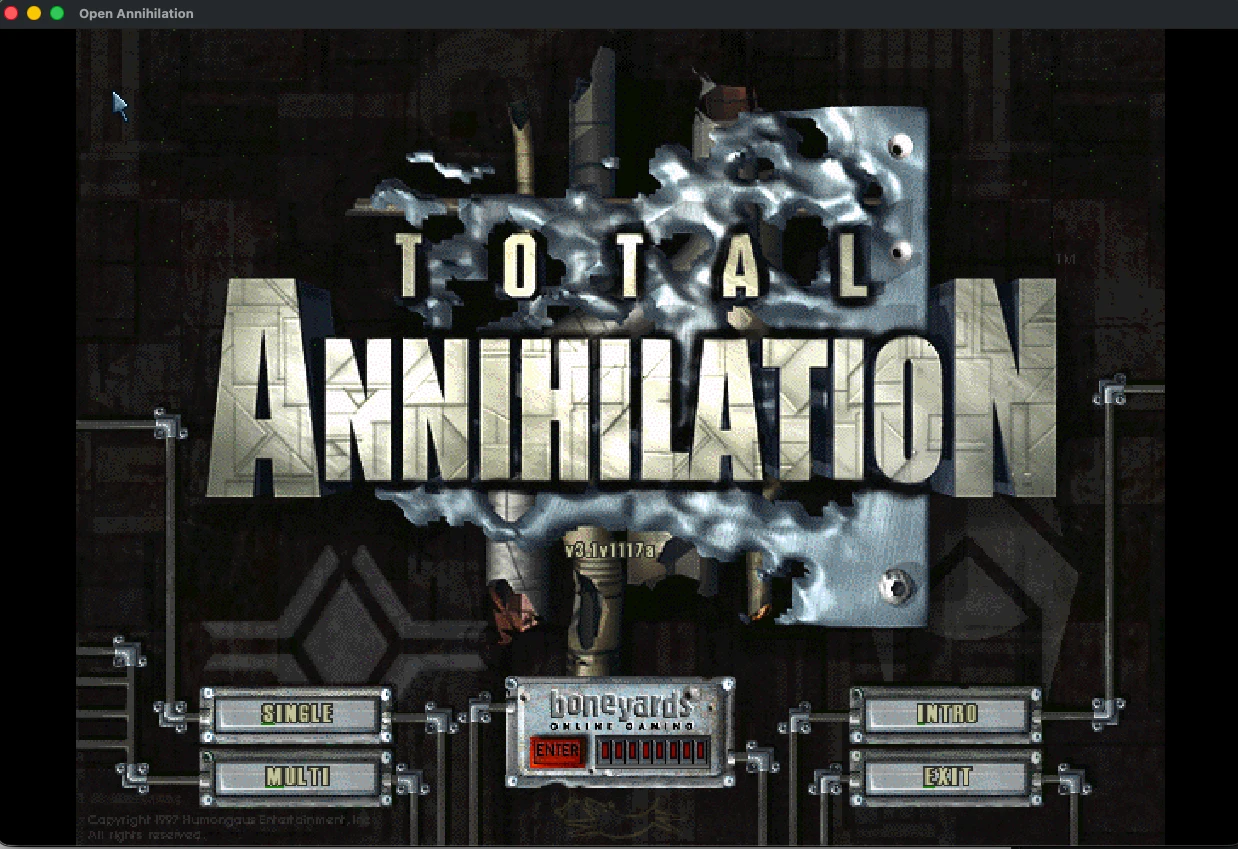
✓You're in, Commander
When the main menu appears, the game has found your files. Pick a campaign, a skirmish or a network game.
Settings and mods
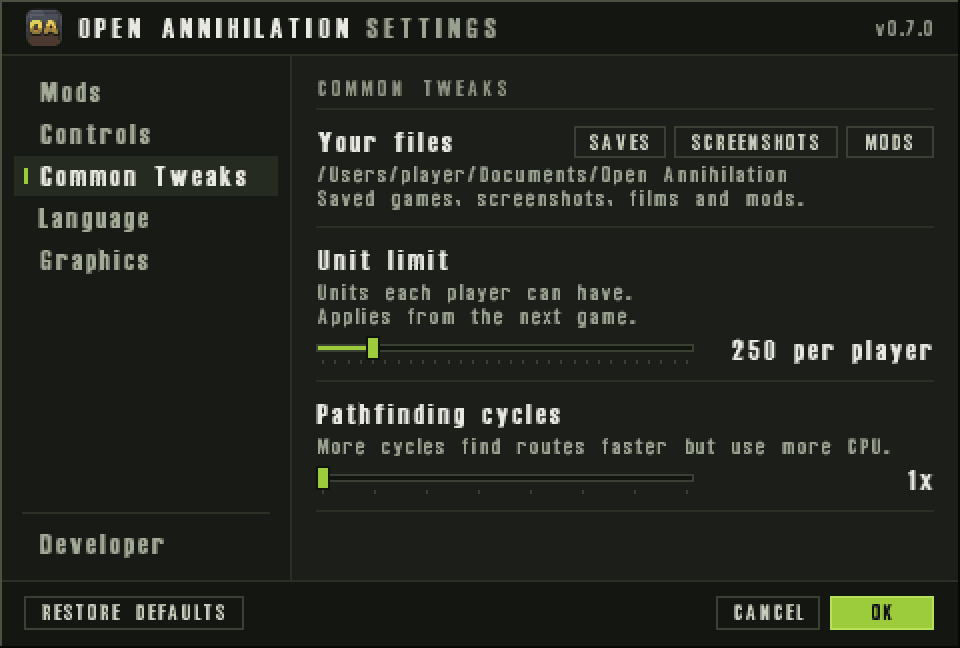
Open Annihilation's own settings open from the OA button at the bottom right of the main menu, or with Ctrl+,. Common Tweaks › Your files opens your saves, screenshots and mods in your file manager, and every setting has its own documented entry.
The Mods page switches between mods without restarting. Open a .oamod file to install the mod it holds.
Multiplayer
For network games, a firewall between the players must let through UDP port 47624, which other computers use to find a hosted game, TCP ports 2300 to 2400 and UDP ports 2350 to 2400.
Where your files live
Saved games, screenshots, films, recordings and mods live in Documents › Open Annihilation, using the Documents folder your desktop names (XDG_DOCUMENTS_DIR), else ~/Documents. Settings stay in ~/.config/open-annihilation, and the logs and the unpacked demo in ~/.local/share/open-annihilation. The settings' folder buttons use xdg-open, from the xdg-utils package.
Saved games from 0.6 and earlier move into Saves/default, and a mod's into Saves/<mod id>, at the first start of a later version. Nothing is overwritten, and the main menu says how many moved.
Updating and removing
- To update, unzip the newer package and start the game from its folder. Your settings are kept.
- To remove, delete the game's folder, and the two folders above to remove settings and logs too; your saves and mods stay in Documents. The
.oamodfile association lives in~/.local/share/mime,~/.local/share/applicationsand~/.local/share/icons, under the namenet.coreprime.open-annihilation.
Troubleshooting
Permission denied
chmod +x open-annihilation once in the game's folder.The Your files buttons say no file manager is there
xdg-utils; without it the game asks the desktop portal through gdbus, and the log says what to install.It picked the wrong copy of the game
--choose-game-dir, or name the folder with --game-dir: a folder you chose always wins over the copies it finds.Other platforms
Something not as described? Discord · GitHub issues