
Install guide
Windows
Three packages cover every Windows from XP SP3 to Windows 11, on PCs from a Pentium III up. There is no installer: unzip it and play.
- Windows XP SP3 to 11
- 64-bit, 32-bit and ARM64
- 17 MB, plus your game
- About 5 minutes
1Choose your package
| Your computer | Package |
|---|---|
| 64-bit Windows 7, 8, 10 or 11: most PCs | …-windows-x64.zip |
| 32-bit Windows, XP SP3 included, on a Pentium III, Athlon XP or newer | …-windows-x86.zip |
| Windows 11 on ARM (experimental) | …-windows-arm64-experimental.zip |
On Windows 10 and 11, Settings › System › About shows the System type 1. On Windows 7 and 8 it is under Control Panel › System. On XP, right-click My Computer and choose Properties: unless it says “x64 Edition”, it is 32-bit. Not sure? The 32-bit package runs on 64-bit Windows too.
- Device name
- COMMANDER-PC
- Processor
- Intel(R) Core(TM) i5
- Installed RAM
- 16.0 GB
- System type
- 64-bit operating system, x64-based processor
2Download it
Where this page can tell, it has already picked the package for this PC.
Open Annihilation 0.7.2 · Windows2026-10-06
Release notes →64-bit Windows 7 to 11 Recommended
For most PCs.
open-annihilation-v0.7.2-windows-x64.zip
32-bit Windows, XP SP3 and later Recommended
Pentium III, Athlon XP or newer. Runs on 64-bit Windows too.
open-annihilation-v0.7.2-windows-x86.zip
Windows 11 on ARM RecommendedExperimental
For Snapdragon and other ARM PCs.
open-annihilation-v0.7.2-windows-arm64-experimental.zip
3Unzip it
- Right-click the downloaded zip 1 and choose Extract All… 2. On Windows XP this opens the Extraction Wizard.
- Choose where to put it, for example
C:\Games1, and click Extract 2.
You get a folder holding open-annihilation.exe. Always start the game from this folder, never from inside the zip.
4Get the game data
Open Annihilation plays your own copy of Total Annihilation with the 3.1 update: it needs the folder that holds totala1.hpi.
Install Total Annihilation: Commander Pack with GOG Galaxy or GOG's offline installer, as you would to play it, and note the folder it installs to: GOG's installer suggests one under C:\GOG Games. That folder holds totala1.hpi 1.
Install Total Annihilation from your Steam library. To find its folder, right-click the game in Steam and choose Manage › Browse local files: the folder that holds totala1.hpi is the one to choose.
Install the game from the CDs and update it to version 3.1. The folder it installed to, the one that holds totala1.hpi, is the one you need.
No copy yet? The free 1997 demo holds the first three Arm missions. Download Total Annihilation.exe (where, and how to check it), make a folder such as TA Demo such as C:\Games\TA Demo, and put the file in it 1. You never run it: Open Annihilation only reads the game data packed inside.
Windows opens paths of up to 259 characters unless long paths are turned on. If the game says it cannot open your folder, move it somewhere with a shorter path, such as C:\Games\Total Annihilation.
5Start the game
- Double-click
open-annihilation.exein the folder from step 3. - Windows may say Windows protected your PC, because the program is new to it. Click More info 1, then Run anyway 2. On Windows XP, click Run in the security warning.
Microsoft Defender SmartScreen prevented an unrecognised app from starting. Running this app might put your PC at risk.
More info
Microsoft Defender SmartScreen prevented an unrecognised app from starting. Running this app might put your PC at risk.
App: open-annihilation.exe
Publisher: Unknown publisher
- The first time, it asks for your Total Annihilation folder. Choose the folder from step 4 1 and click Select Folder 2. It remembers your choice.
To choose a different folder later, start it with --choose-game-dir. Right-click open-annihilation.exe, choose Create shortcut, then in the shortcut's Properties add --choose-game-dir after the program's name 1. Or run it from a Command Prompt in the game's folder.
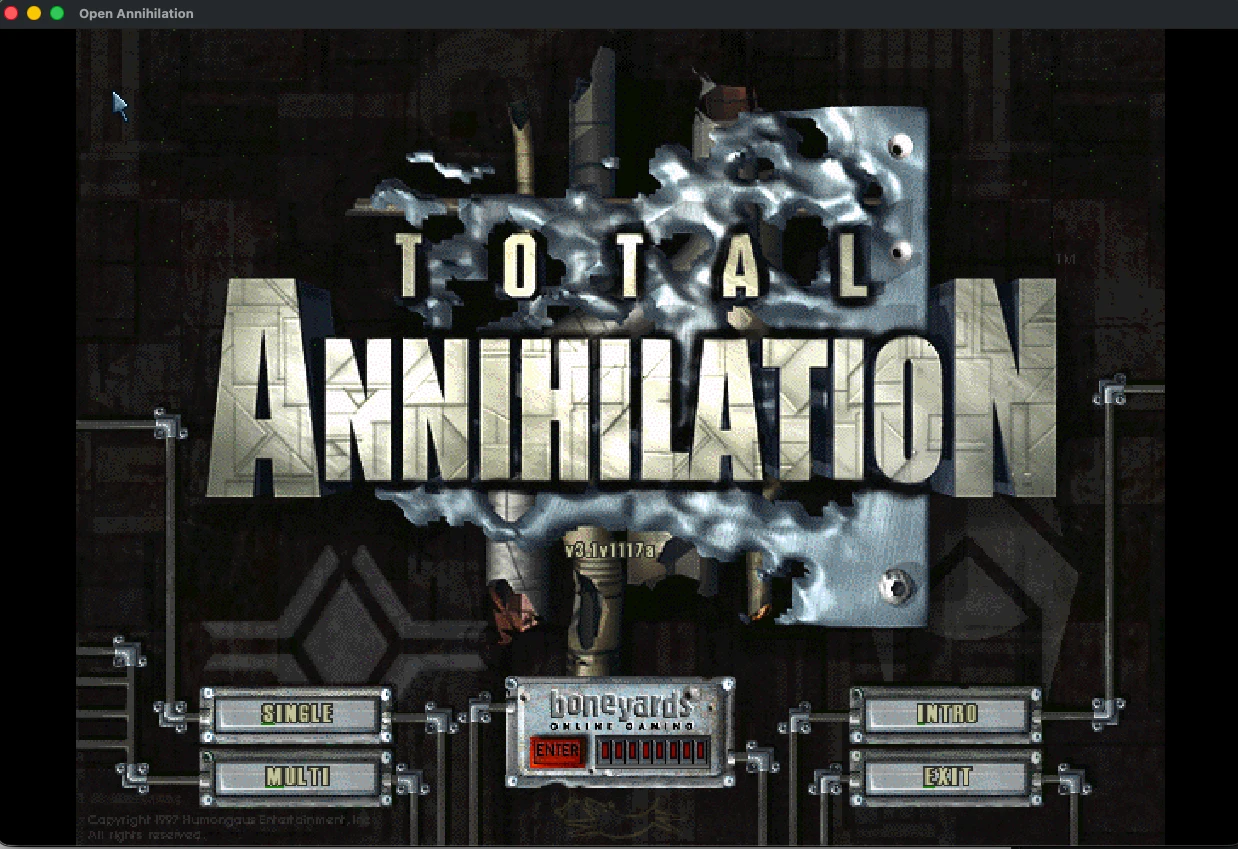
C:\Games\open-annihilation> open-annihilation.exe --choose-game-dir✓You're in, Commander
When the main menu appears, the game has found your files. Pick a campaign, a skirmish or a network game.
Settings and mods
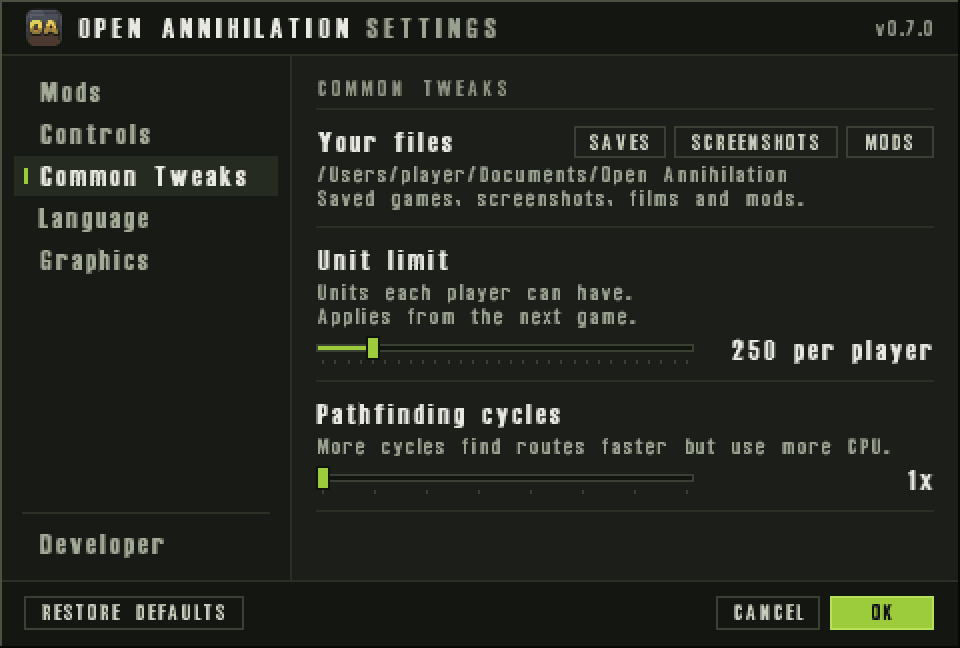
Open Annihilation's own settings open from the OA button at the bottom right of the main menu, or with Ctrl+,. Common Tweaks › Your files opens your saves, screenshots and mods in File Explorer, and every setting has its own documented entry.
The Mods page switches between mods without restarting. Open a .oamod file to install the mod it holds.
Multiplayer
The first time you host or join a network game, Windows Defender Firewall may ask whether Open Annihilation may communicate on networks: allow it, at least on private networks 1 2. On Windows XP, click Unblock. Beyond your PC, a firewall between the players must let through UDP port 47624, which other computers use to find a hosted game, TCP ports 2300 to 2400 and UDP ports 2350 to 2400.
- Name:
- open-annihilation.exe
- Path:
- C:\Games\…\open-annihilation.exe
Allow open-annihilation.exe to communicate on these networks:
Windows XP and older computers
- On a computer with a single processor, no SSE2 or less than 512 MB of memory, the game starts at 800×600, at up to 60 frames a second and without enhanced anti-aliasing. All three can be changed in the settings.
- On Windows XP the game plays sound through its own wave-out output, which leaves a single processor more time for the game. If you hear nothing, start it with SDL's output instead:
C:\Games\open-annihilation> set OA_SOUND_OUTPUT=sdlC:\Games\open-annihilation> open-annihilation.exe
On a newer Windows with no sound, set OA_SOUND_OUTPUT=waveout picks the game's own output in the same way.
Where your files live
Saved games, screenshots, films, recordings and mods live in Documents › Open Annihilation (My Documents on XP), wherever Windows keeps Documents, OneDrive included. Settings, logs and the unpacked demo stay in %LOCALAPPDATA%\CorePrime\Open Annihilation.
Saved games from 0.6 and earlier move into Saves/default, and a mod's into Saves/<mod id>, at the first start of a later version. Nothing is overwritten, and the main menu says how many moved.
Updating and removing
- To update, unzip the newer package and use its folder. Your settings are kept.
- To remove, delete the game's folder, and the Local AppData folder above to remove settings and logs too; your saves and mods stay in Documents. To make Windows forget the game as the opener of
.oamodfiles, deleteHKEY_CURRENT_USER\Software\Classes\.oamodand…\Classes\OpenAnnihilation.Modin the Registry Editor.
Troubleshooting
The game says it cannot open my folder
C:\Games\Total Annihilation, or turn on Enable Win32 long paths (Windows 10, version 1607, and later).Nothing happens when I double-click it inside the zip
Mods open in the wrong program
.oamod files: start the copy you want to use once.Other platforms
Something not as described? Discord · GitHub issues