
Install guide
macOS
Install Open Annihilation on any Mac with macOS 11 Big Sur or later, Intel or Apple silicon. The app is signed and notarized, so it opens without a warning.
- macOS 11 Big Sur or later
- Intel and Apple silicon
- 22 MB, plus your game
- About 5 minutes
1Download Open Annihilation
Take the installer, a .pkg. The zip beside it holds the same app without an installer, if you would rather drag it into place yourself.
Open Annihilation 0.7.2 · macOS2026-10-06
Release notes →Installer Recommended
Universal: Intel and Apple silicon. Signed and notarized, and installs to Applications.
open-annihilation-v0.7.2-macos-universal.pkg
App in a zip Recommended
The same app without an installer: unzip it and drag it to Applications.
open-annihilation-v0.7.2-macos-universal.zip
2Install it
- Double-click the
.pkgin Downloads. - Click Continue through its steps, then Install 1. It puts Open Annihilation in your Applications folder.
- Introduction
- Destination Select
- Installation Type
- Installation
- Summary
Click Install to put Open Annihilation in your Applications folder.
- Double-click the zip 1 to unpack it.
- Drag Open Annihilation.app from the folder it makes onto Applications in the sidebar 2.
 Open Annihilation.appApplication
Both are signed with a Developer ID and notarized by Apple, so macOS opens them without a warning.
3Get the game data
Open Annihilation plays your own copy of Total Annihilation with the 3.1 update: it needs the folder that holds totala1.hpi. Pick the way that matches your copy.
GOG sells Total Annihilation: Commander Pack with a Mac version, which keeps the game's folder inside its app.
- Install it with GOG Galaxy or with GOG's installer.
- In Applications, right-click the game 1 and choose Show Package Contents 2.
Open AnnihilationApplication- Open drive_c, then Program Files, then GOG.com.
- Hold Option and drag the Total Annihilation folder 1 onto Documents 2. With Option held, Finder copies it, so GOG's version keeps working.
Copy the whole folder of an installed Total Annihilation from the PC to your Documents folder, for example with a USB stick. The right folder holds totala1.hpi 1. A copy from the original CDs must be installed on Windows and updated to 3.1 first.
No copy yet? The free 1997 demo holds the first three Arm missions. Download Total Annihilation.exe (where, and how to check it), make a folder such as TA Demo in Documents, and put the file in it 1. You never run it: Open Annihilation only reads the game data packed inside.
4Start the game
- Open Open Annihilation from Applications or Launchpad.
- The first time, it asks for your Total Annihilation folder. Choose the folder from step 3 1 and click Open 2. It remembers your choice.
macOS then asks whether the game may use your Documents folder, where it keeps your saved games, screenshots and mods. Click Allow 1.
To choose a different folder later, start it once from Terminal with --choose-game-dir:
$ open -a "Open Annihilation" --args --choose-game-dir✓You're in, Commander
When the main menu appears, the game has found your files. Pick a campaign, a skirmish or a network game.
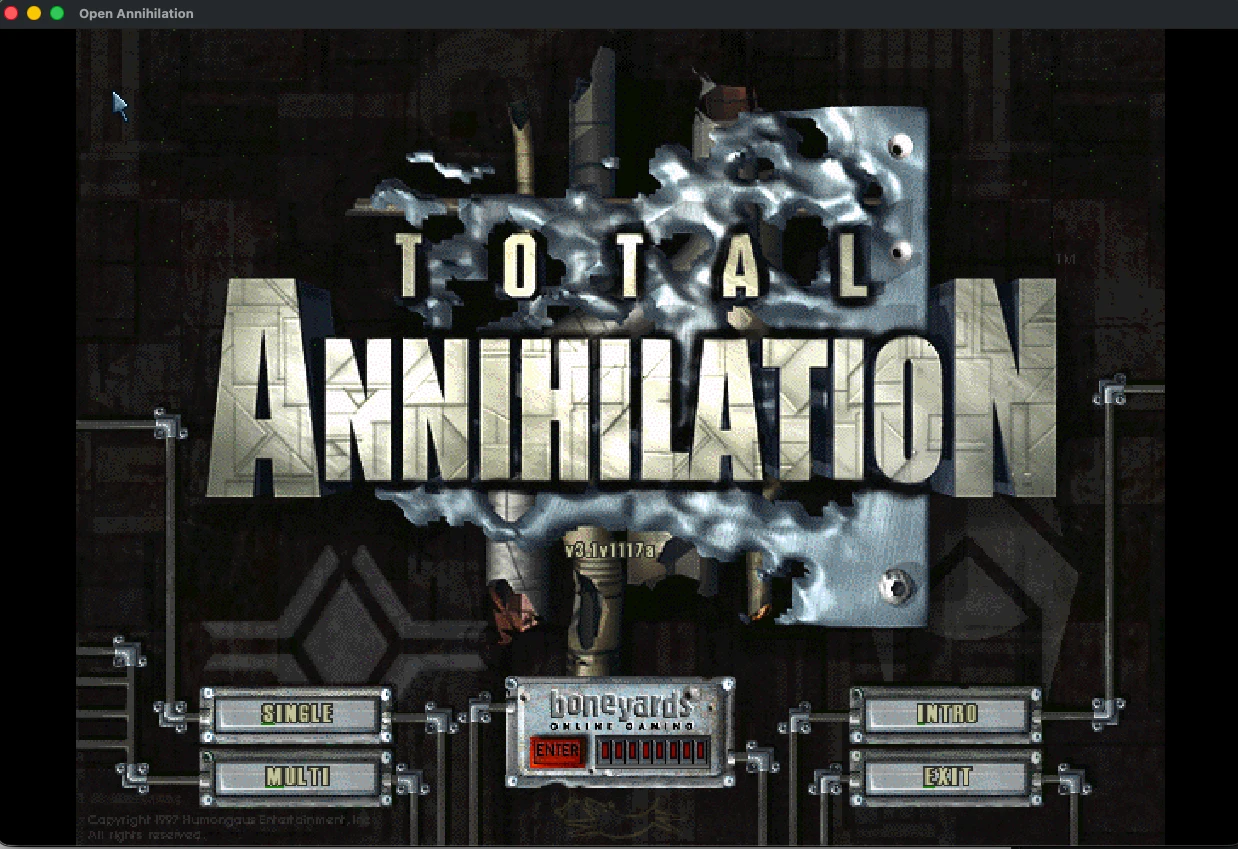
Settings and mods
Open Annihilation's own settings open from the OA button at the bottom right of the main menu, or with Cmd+,. Common Tweaks › Your files opens your saves, screenshots and mods in Finder, and every setting has its own documented entry.
The Mods page switches between mods without restarting. Open a .oamod file to install the mod it holds.
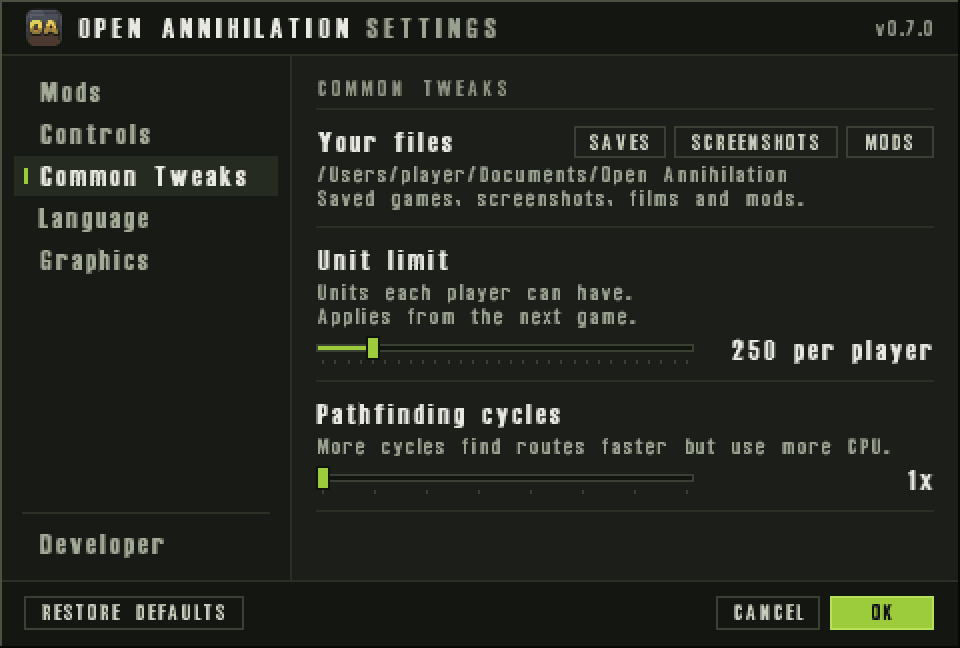
Multiplayer
With the macOS firewall on, the first time you host or join a network game macOS asks whether Open Annihilation may accept incoming connections: click Allow 1. Beyond your Mac, a firewall between the players must let through UDP port 47624, which other computers use to find a hosted game, TCP ports 2300 to 2400 and UDP ports 2350 to 2400.
Where your files live
Saved games, screenshots, films, recordings and mods live in Documents › Open Annihilation; each folder appears the first time the game needs it. Settings, logs and the unpacked demo stay in ~/Library/Application Support/net.coreprime.open-annihilation.
Saved games from 0.6 and earlier move into Saves/default, and a mod's into Saves/<mod id>, at the first start of a later version. Nothing is overwritten, and the main menu says how many moved.
Updating and removing
- To update, install the newer
.pkgover the old one, or replace the app with the newer one. Your settings are kept. - To remove, drag Open Annihilation.app to the Bin. Delete the Application Support folder above to remove your settings and logs too; your saves and mods stay in Documents.
Troubleshooting
I clicked Don’t Allow for Documents
--user-folder PATH to keep your files somewhere else.It asks for the folder again
totala1.hpi. Choose it again; the game remembers the new choice.I want to try the demo after choosing the full game
--choose-game-dir and choose the demo's folder, or with --game-dir FOLDER to use it for one run only.Other platforms
Something not as described? Discord · GitHub issues